
WIFI High Performance Widget1.19 - Get APK
You'll be able to download in few seconds.
Publisher Description
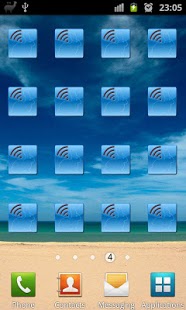
This is a widget to enable/disable WIFI high-performance mode on selected devices. In other words, by using the widget, you can effectively disable the Power Management in the WIFI driver of the phone/tablet. While certainly, it would drain more power, there are some advantages as well:
1. Lowering latency. If the wifi driver does not sleep, the AP does not have to wait until delivering the data. This is desired is many situations, like IP VOIP calls via WIFI, audio streaming, networked games (lower latency means better experience).
2. Ensure wifi is running put into higher PM state even when the screen is off. Again, this helps when you do VOIP calls, stream audio, etc.
3. Solving sporadic/unreliable connectivity problems. Root cause: Some older WIFI routers can't reliably communicate with devices using WIFI Power Management (they may actually sleep, when the AP wants to send data). It helps when your WIFI can connect to the Access Point, but the transfer is either very slow or unreliable (high packet loss). This widget does NOT help, if you can't connect to the WIFI Access Point at all.
4. Simply speed up download transfer rate. YMMV.
The widget should work on all devices with Android 3.1 and higher. In addition, this was tested and found to work on Samsung Galaxy S II (even with GingerBread).
Some users reported this also works with Acer Iconia and Galaxy Tab. Other devices may or may not support this feature. Please see for yourself. Please leave comments/rating if it helped.
USAGE: Add the widget to your home screen and tap on it to enable wifi and to activate/deactivate the high-performance mode. If you don't see the widget, start the activity. The widget should be properly listed afterwards.
Automatic toggle feature works using the following ruleset:
1. If Wifi connection is lost or manually disabled/disconnected, the HighPerformance mode will automatically be disabled (if it was enabled) to save battery.
2. If you reconnect to the last connected network, the last applicable state of the HighPerformance setting will automatically be restored.
3. If you connect to a different network than you had been previously, HighPerformance mode will be enabled based on the preference setting in the Application (whitelist)
Notice: While the READ_PHONE_STATE is indeed a very powerful and dangerous permission, I am not using it for anything else than to know if there's an incoming or outgoing call to be able to use it as a trigger. Nothing else, really...
If you'd like to double-check whether this widget has really done the job on your phone, you can try the following:
1. PING your phone from you computer with disabled wifi performance mode. Make note of the average round trip time. In my case case this was around 50ms
2. PING your phone from you computer with ENABLED wifi performance mode. In my case the average round trip time shortened to about 2-3ms. If there's no significant different between the two cases, chances are your phone does not support WIFI High Performance Mode.
About WIFI High Performance Widget
The company that develops WIFI High Performance Widget is Ratcash Production. The latest version released by its developer is 1.19.
To install WIFI High Performance Widget on your Android device, just click the green Continue To App button above to start the installation process. The app is listed on our website since 2012-12-15 and was downloaded 0 times. We have already checked if the download link is safe, however for your own protection we recommend that you scan the downloaded app with your antivirus. Your antivirus may detect the WIFI High Performance Widget as malware as malware if the download link to com.ratcash.wifiperf is broken.
How to install WIFI High Performance Widget on your Android device:
- Click on the Continue To App button on our website. This will redirect you to Google Play.
- Once the WIFI High Performance Widget is shown in the Google Play listing of your Android device, you can start its download and installation. Tap on the Install button located below the search bar and to the right of the app icon.
- A pop-up window with the permissions required by WIFI High Performance Widget will be shown. Click on Accept to continue the process.
- WIFI High Performance Widget will be downloaded onto your device, displaying a progress. Once the download completes, the installation will start and you'll get a notification after the installation is finished.
Program Details
System requirements
Download information
Pricing
Version History
version 1.19
posted on 2012-12-15
V1.19: Bugfix - performance mode enabled sometimes for not whitelisted networks.
version 1.19
posted on 2012-12-15
Several fixes and updates
Disclaimer
External Download
We do not host WIFI High Performance Widget on our servers. We did not scan it for viruses, adware, spyware or other type of malware. This app is hosted by Galad and passed their terms and conditions to be listed there. We recommend caution when installing it.
The APK Download link for WIFI High Performance Widget is provided to you by apps112.com without any warranties, representations or guarantees of any kind, so access it at your own risk.
If you have questions regarding this particular app contact the publisher directly. For questions about the functionalities of apps112.com contact us.
